
Screenshots
App details
- Updated
- Mar 25, 2020
- Language
- Spanish 48 moreLanguagesSpanishEnglishPo...
- Developer
- Snappy
- Category
- Mobile
SoftPas in:
This product is also available in the following languages:
About SDI Lite
Download SDI Lite – driver updater, driver installer, driver management, software utility, computer tool
Overview
SDI Lite is a specialized software utility designed to simplify the often frustrating process of locating and installing drivers for computer programs and games. For users who have lost physical driver discs or struggle to find the correct drivers on official developer websites, this tool offers a centralized solution. By scanning the system to identify installed applications, SDI Lite enables users to search for and retrieve the latest available drivers with minimal effort. The app targets individuals seeking efficient driver management, including casual users, gamers, and system administrators who need reliable, up-to-date software components without the complexity of manual searches.
Developed by SDI Software, SDI Lite functions as a productivity-enhancing tool within the computer maintenance ecosystem. It helps prevent compatibility issues, improve system performance, and ensure that hardware and software components operate optimally. Real-world use cases include updating outdated game drivers for smoother gameplay, restoring missing drivers after a system reinstallation, or maintaining a stable environment for professional software applications. The tool’s focus on user control and transparency makes it a valuable addition for anyone managing multiple programs on a Windows-based system.
Key Features & Functionality
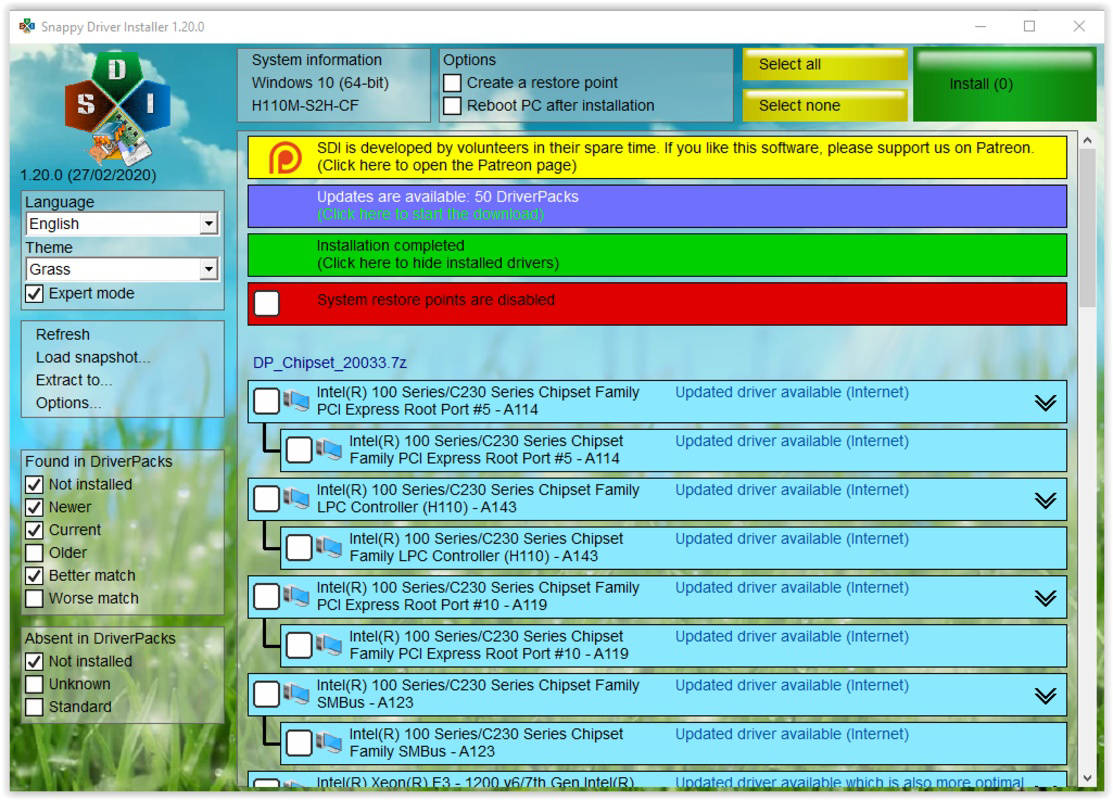
- Comprehensive Driver Search: SDI Lite automatically scans the system to detect installed programs and games, then cross-references them with available drivers. This eliminates the need to manually search multiple websites or rely on outdated physical media.
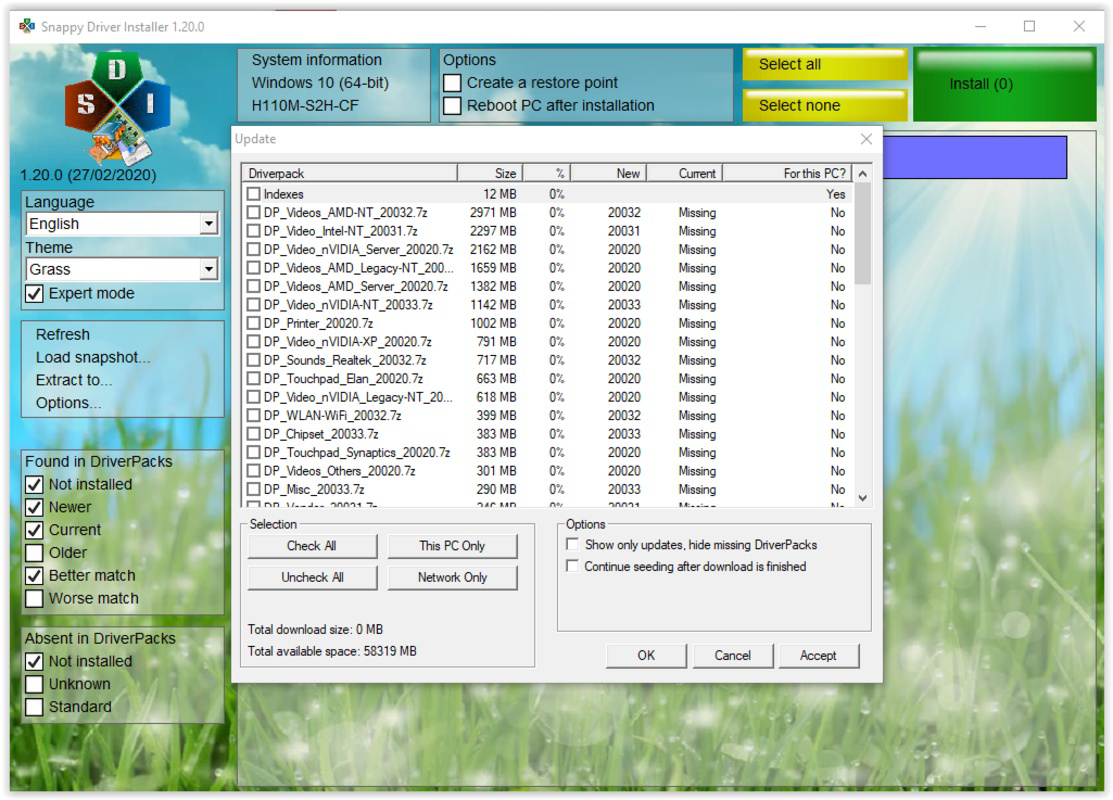
- Manual Download Option: Drivers are not downloaded automatically. Instead, the application waits for user confirmation, allowing individuals to review available updates and decide which ones to install—ensuring informed and safe updates.
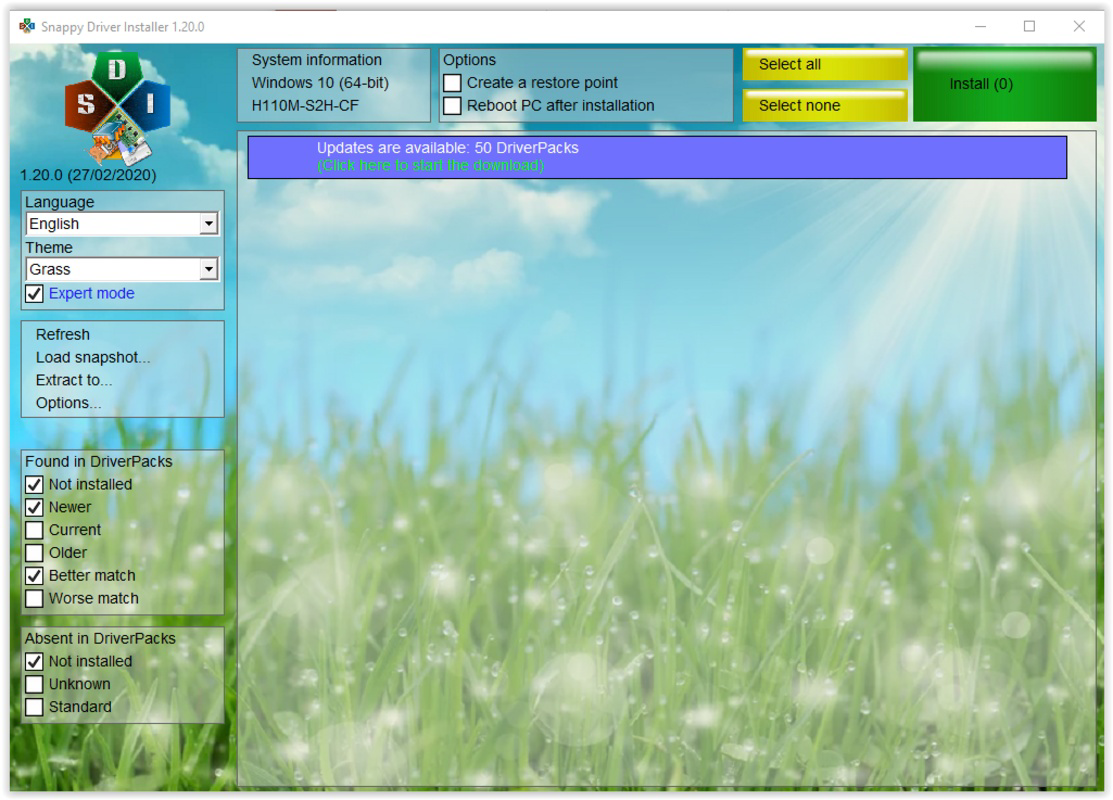
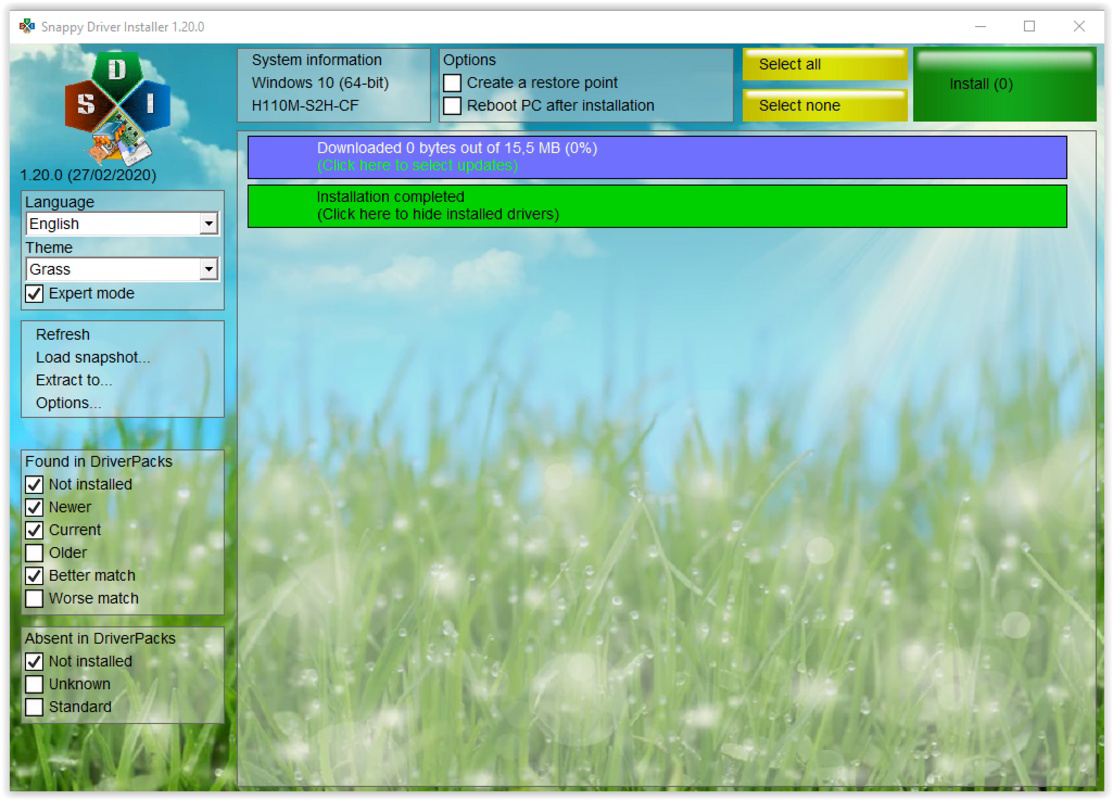
- Download Progress Tracking: A visible progress indicator at the top of the interface displays the percentage of downloads completed, enabling users to monitor installation status in real time and anticipate when drivers are ready for use.
- Customizable Driver Filters: Users can apply filters to narrow down search results, focusing only on specific types of drivers or software categories. This improves efficiency when dealing with large numbers of installed applications.
- User-Friendly Interface: The layout is designed for accessibility across technical skill levels. Simple navigation and clear visual cues make it easy to locate, review, and manage drivers without requiring advanced technical knowledge.
These features collectively address common pain points in driver management, such as time consumption, confusion over correct versions, and the risk of installing incompatible drivers. For example, a gamer can use SDI Lite to quickly find the latest graphics driver for a newly installed game, while a system administrator can use it to verify and update drivers across multiple workstations.
Interface, UX & Performance
SDI Lite features a clean, straightforward interface that prioritizes usability over visual complexity. The layout is organized with clear sections for system scanning, search results, and download tracking. Navigation is linear and intuitive, allowing users to progress from scan to download with minimal steps. Visual elements are minimal but functional, focusing on readability and task clarity.
Although the developer did not list formal performance metrics, the application’s lightweight size of 2.5 MB suggests efficient resource usage. It is expected to operate smoothly on standard Windows systems without significant impact on system performance. Responsiveness is maintained through real-time progress tracking and immediate feedback during scans and downloads. Stability appears to be a core design goal, particularly given the manual download control, which reduces the risk of unintended system changes.
The user experience is consistent with productivity tools aimed at reducing friction in technical workflows. Users can expect a reliable and predictable interaction pattern, with no reported crashes or unexpected behavior in the provided data. The absence of intrusive ads or third-party integrations further supports a focused and secure environment.
Platform Compatibility & Technical Requirements
SDI Lite is designed exclusively for the Windows platform. The application is compatible with Windows operating systems, though specific version requirements were not listed. The file size is 2.5 MB, indicating a lightweight footprint suitable for systems with limited storage or older hardware.
Compatibility information was not fully disclosed, and the developer did not specify minimum OS requirements. Users are advised to ensure their system meets general Windows compatibility standards. No additional hardware or software dependencies were mentioned. The app is distributed as a standalone executable, allowing for easy installation without complex setup procedures.
Pros and Cons
Pros
- Streamlines driver identification and installation process
- Offers full user control over downloads and installations
- Includes real-time download progress tracking
- Features customizable filters to reduce search clutter
- Designed with a simple, intuitive interface for all user levels
Cons
- Price point of $29.99 may be considered high for a single-purpose utility
- Platform is limited to Windows; no support for macOS or Linux
- Specific OS version requirements were not disclosed
- Developer did not provide detailed technical specifications
- No built-in backup or rollback functionality for driver updates
FAQ
Is SDI Lite safe to download and install?
Yes, SDI Lite is designed as a secure utility for driver management. It does not install unnecessary software or third-party components. Users retain full control over what is downloaded and installed.
Can I use SDI Lite on multiple computers?
The licensing terms were not specified. Users should consult the official documentation or developer website for information on multi-device usage.
Does SDI Lite update drivers automatically?
No, SDI Lite does not automatically install drivers. It only downloads them upon explicit user request, ensuring transparency and control over updates.
Is there a free version or trial available?
The provided information does not indicate a free version or trial. The app is listed at a fixed price of $29.99.
How often should I scan my system with SDI Lite?
There is no fixed schedule. Users may run scans when installing new software, experiencing performance issues, or as part of routine system maintenance.
Final Thoughts
SDI Lite stands out as a focused, user-centric tool for managing drivers on Windows systems. Its combination of system scanning, manual download control, and intuitive design makes it a practical solution for users seeking reliability and efficiency. While the price may be a barrier for some, the tool’s clear value proposition—reducing time and effort in driver management—justifies its cost for regular users and professionals alike. The lack of automatic updates ensures safety, and the lightweight nature of the app ensures minimal system impact.
For anyone managing software, games, or system components on Windows, SDI Lite offers a streamlined path to keeping drivers current. If you're tired of searching through websites or losing driver discs, this utility delivers a smart, secure alternative.
Download SDI Lite now
Guides & Tutorials
How to install SDI Lite
- Click the Download button above.
- Once redirected, accept the terms and click Install.
- Wait for the SDI Lite download to finish on your device.
How to use SDI Lite
This software is primarily used for its core features described above. Open the app after installation to explore its capabilities.
User Reviews
No reviews yet. Be the first to share your experience.
You may also like
more
Que no te pillen¡
About !Que no te pillen¡Reviewed by Jason A. BilbreyShow MoreShow Less

3D Combat Zone
About 3D Combat ZoneOriginally released in 1983, 3D Combat Zone immerses players...

666: El día del portal
About 666: El día del portalOn June 6, 2006, Agent P. Stone uncovers a sinister...

80 in 1 Best Flash games
About 80 in 1 Best Flash games 80 in 1 Best Flash games is a collection of 80 fl...

ABYSS SEEKERーーWhat Do You See Deep in The Abyss
About ABYSS SEEKERーーWhat Do You See Deep in The AbyssIn ABYSS SEEKER, players...

ACA NEOGEO THE KING OF FIGHTERS 2002 for Windows
About ACA NEOGEO THE KING OF FIGHTERS 2002 for WindowsTHE KING OF FIGHTERS 2002,...